_edited_edited_edited.png)
Social Media Video Production: How One Shoot Feeds Instagram Reels, YouTube Shorts & LinkedIn Clips

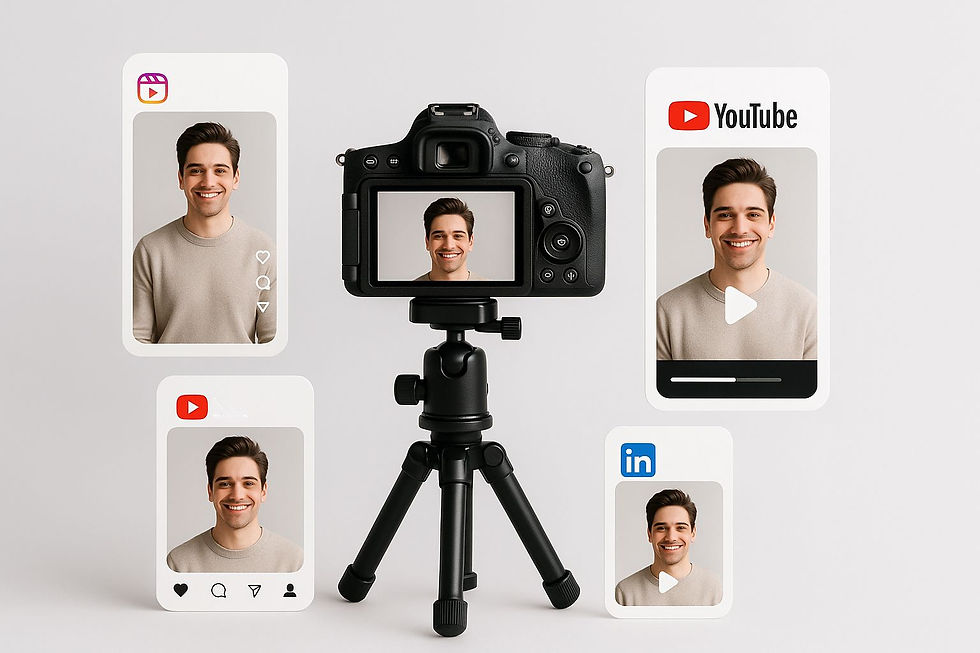
The One-Shoot Secret Every Marketer Should Know
Ever spent an entire day shooting one campaign, only to realize it works for just one platform? That’s where social media video production flips the game.
Today, a single, well-planned video shoot can feed your Instagram Reels, YouTube Shorts, and LinkedIn clips—saving time, money, and creative energy. It’s not about working harder. It’s about working smarter with a multi-platform video strategy that turns one piece of content into three high-performing formats.
Let’s break down how.
What Is Social Media Video Production (And Why It’s a Big Deal)?
In simple terms, it’s the art of creating one shoot that works everywhere. Instead of filming separately for each platform, you plan a flexible shoot—then repurpose it across multiple channels.
That’s what makes it powerful:
One shoot → Three platforms
One budget → Triple exposure
One idea → Multiple audience types
It’s not just efficient—it’s a content repurposing strategy that helps you grow faster without burning out your team or your wallet.
Why Should You Repurpose One Video for Multiple Platforms?
Because every platform has its own audience and rhythm.
Instagram Reels gives you reach and virality.
YouTube Shorts builds subscribers and visibility.
LinkedIn clips grow brand authority and trust.
Repurposing video for different social platforms means you meet your audience where they hang out, without starting from scratch each time.
That’s how you maximize ROI by using one video shoot for Instagram, YouTube, and LinkedIn.
How to Plan One Shoot That Feeds All Platforms
1. Start with Strategy
Before pressing record, define:
What’s your message?
Who’s it for?
Where will it live?
Your answers shape everything—from framing and tone to lighting and sound. A planned video shoot for social media always beats a spontaneous one.
2. Shoot Smart
Keep these simple rules:
Record in 4K so you can crop for any format.
Capture both horizontal and vertical shots.
Always shoot a few extra takes for safety.
Use neutral backgrounds so graphics overlay easily.
3. Think Modular
Film in short sections that can stand alone:
Hook (first 3 seconds)
Message (main story)
Call-to-action (final few seconds)
These pieces can be rearranged later for Reels, Shorts, and LinkedIn clips.
How to Edit One Shoot into Multiple Formats
Editing is where your footage transforms into platform-ready content.
Platform | Aspect Ratio | Length | Style |
Instagram Reels | 9:16 | 15–30s | Fast, trendy, visual |
YouTube Shorts | 9:16 | Up to 60s | Educational or entertaining |
1:1 or 16:9 | 30–90s | Informative, professional |
Quick Editing Tips:
Add captions — most users scroll on mute.
Keep your logo visible early (brand recall).
Use hooks like “Did you know…?” or “Here’s a quick tip…”
Tailor your CTA to each platform (e.g., “Subscribe”, “DM us”, or “Let’s connect”).
With the right approach, editing one shoot into multiple formats becomes fast, fun, and ROI-positive.
What Makes Instagram Reels, YouTube Shorts, and LinkedIn Clips Different?
Each platform has a different audience mood.
Instagram Reels Production:
Focus on motion, trend, and energy.
Keep it visual with quick cuts, captions, and emotion.
Use trending audio or storytelling to grab attention.
YouTube Shorts Creation:
Make it educational or entertaining.
Use clear titles and vertical framing.
End with a “next step” cue: like, share, or subscribe.
LinkedIn Video Marketing:
Keep it crisp, confident, and insight-driven.
Start with a strong takeaway or data point.
Close with a call to connect or discuss.
When you tailor the tone but reuse the footage, you achieve real multi-platform video content strategy magic.
What Tools Can Simplify Multi-Platform Editing?
You don’t need a Hollywood setup to do this.
Use tools like:
CapCut or Premiere Pro – to trim and reframe.
Descript – to caption automatically.
Canva Video or VEED.io – to add text overlays fast.
Google Drive / Notion – to manage versions and scripts.
Pro Tip: Store your raw footage and edited versions separately. It’ll save hours when repurposing again later.
How Does This Boost Your ROI?
Repurposing isn’t recycling — it’s multiplying your visibility. Here’s why marketers love this method:
Save up to 60% production cost
Publish faster across channels
Increase organic reach with no extra shoot days
Keep brand consistency across formats
You’re not just posting more—you’re posting smarter. That’s how you truly maximize ROI by using one video shoot for Instagram, YouTube, and LinkedIn.
What Are Common Mistakes to Avoid?
Even great ideas fail without the right execution. Watch out for these:
Shooting only in one orientation (horizontal kills Reels) Forgetting to add captions Using the same caption/CTA on all platforms Ignoring analytics to see what performs Posting the same edit everywhere without adapting tone
Fix these, and your content will instantly look more professional and engaging.
When Should You Hire a Video Production Company?
If you want:
Consistent quality across multiple shoots
Strategy + production + editing under one roof
Storytelling that feels natural, not scripted
Experts who know every platform’s algorithm
Then partnering with professional video production services is worth every penny.
They’ll guide you through pre-production planning, scripting, the video editing process, and even storytelling for brands — helping you get the best results from every frame.
Why This Strategy Wins in 2025 and Beyond
Short-form video isn’t a trend anymore—it’s the format of the internet. Brands that learn to repurpose one video into multiple formats dominate attention.
So, whether you’re creating behind-the-scenes production reels, educational snippets, or promotional videos, start with a multi-platform video strategy mindset. Every shoot can become a campaign.
FAQ (Quick Answers)
1. Can one shoot really work for all platforms?
Absolutely—if you plan for it during pre-production and shoot in flexible formats.
2. What’s the ideal length for short-form content?
15–30 seconds for Reels, under 60 for Shorts, 30–90 for LinkedIn.
3. Should I change my call-to-action?
Yes. “Link in bio” works for Instagram, “Subscribe” for YouTube, “Let’s connect” for LinkedIn.
4. What’s the biggest mistake brands make?
Ignoring aspect ratios and posting the same video everywhere without adapting.
5. How do I start if I’ve never repurposed before?
Start small. Pick one old video, edit it vertically, add captions, and post it as a Reel or Short.
Quick End Notes & Tips
Shoot once, plan twice. Always frame shots that fit both vertical and horizontal screens. Keep it modular. Record multiple short segments instead of one long clip. Add subtitles. Most people watch on mute, especially on Instagram. Use data. Check what platform drives engagement and double down. Be consistent. Posting one great multi-format video a week beats random content daily. Archive wisely. Keep your raw footage — you’ll reuse it more than you think. Test hooks. Your first 3 seconds decide your success.
Final Thoughts
Your next video shoot doesn’t need to stop at one post.
With the right social media video production plan, you can turn that single shoot into Instagram Reels, YouTube Shorts, and LinkedIn clips—each optimized for its audience.
It’s efficient, scalable, and perfectly aligned with how content performs in 2025.
If you’re ready to transform your shoots into a full-fledged multi-platform video content strategy, reach out to our team.
Let’s make one shoot work harder, perform better, and go further than ever before.


Comments